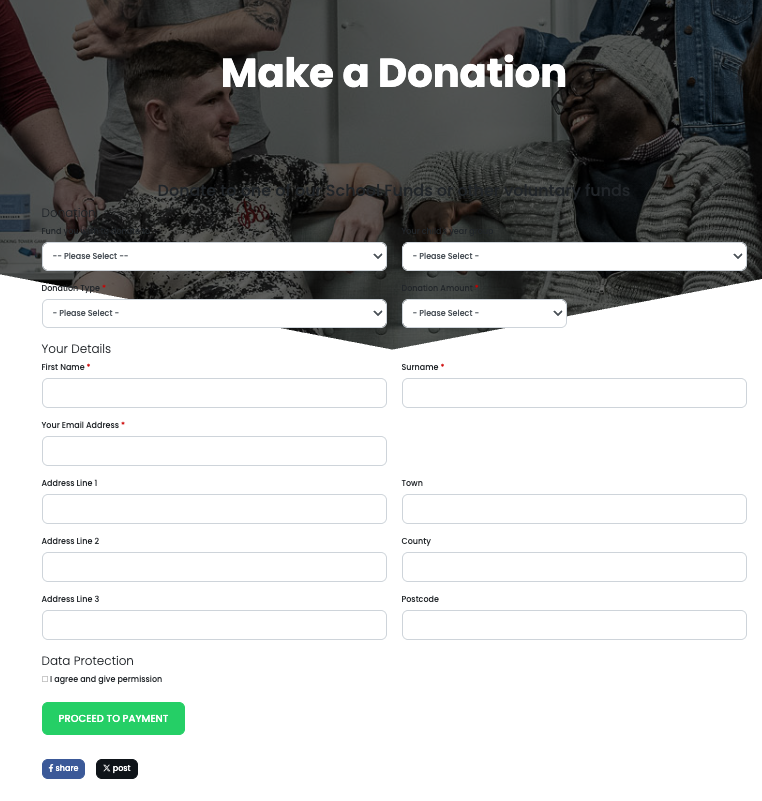
Donations Module
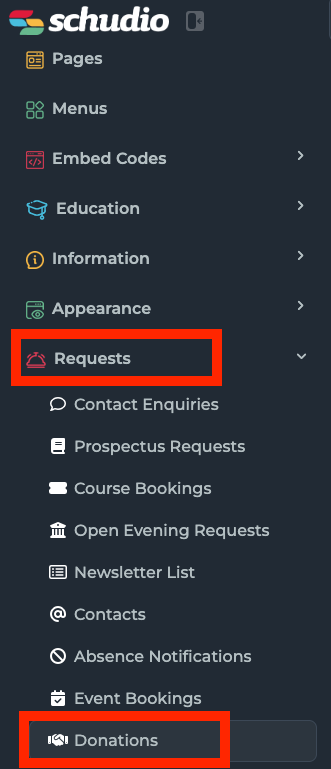
To begin setting up donations on your website, you will first need to log in to your Schudio CMS. Once logged in, navigate to the left-hand menu and select Requests, then choose Donations from the list of options. This will take you to the main Donations area within the CMS.
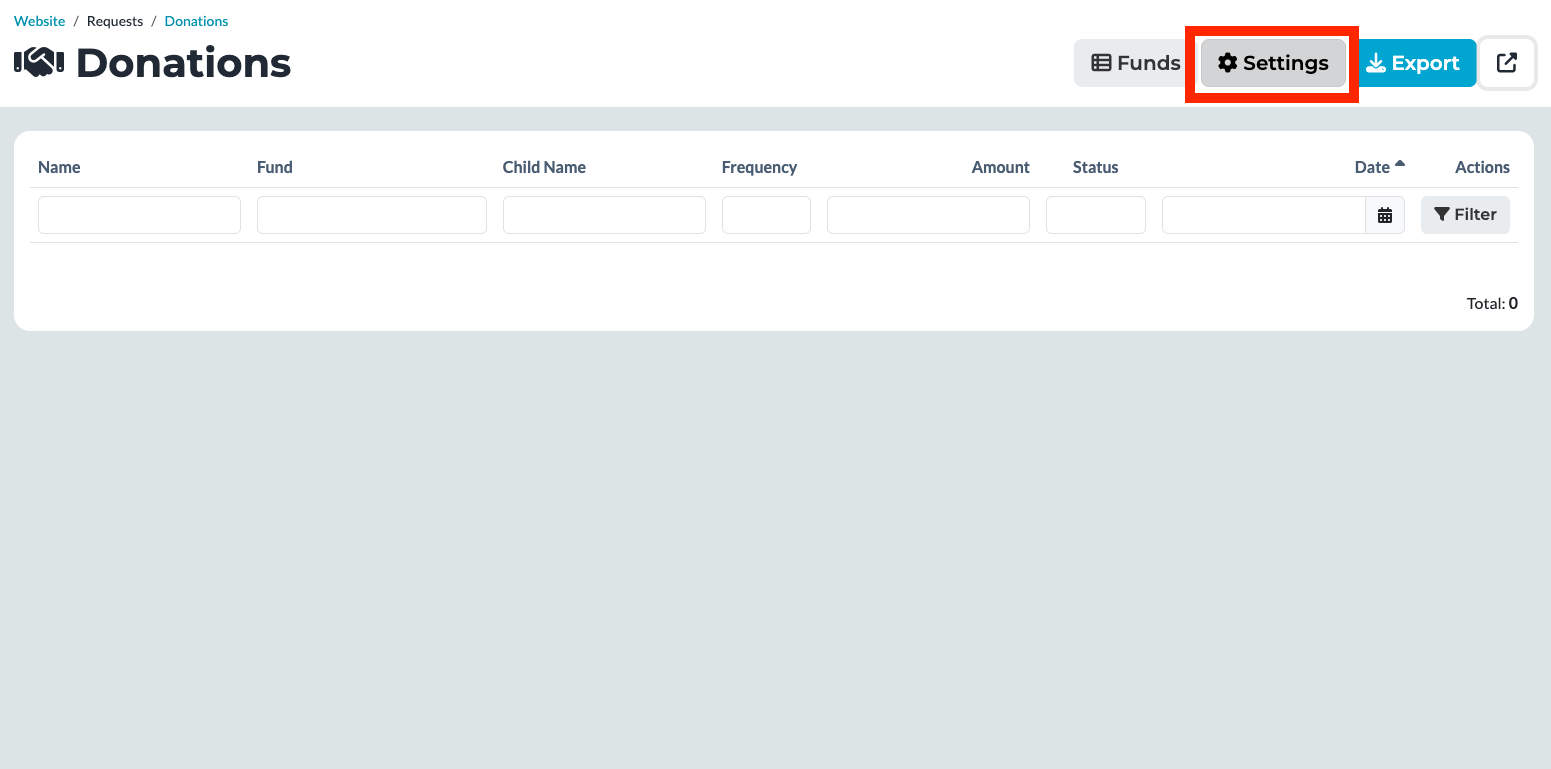
Within the Donations section, click on Settings to access the configuration options. At the top of the settings page, you will see an input field for your GoCardless Access Token.
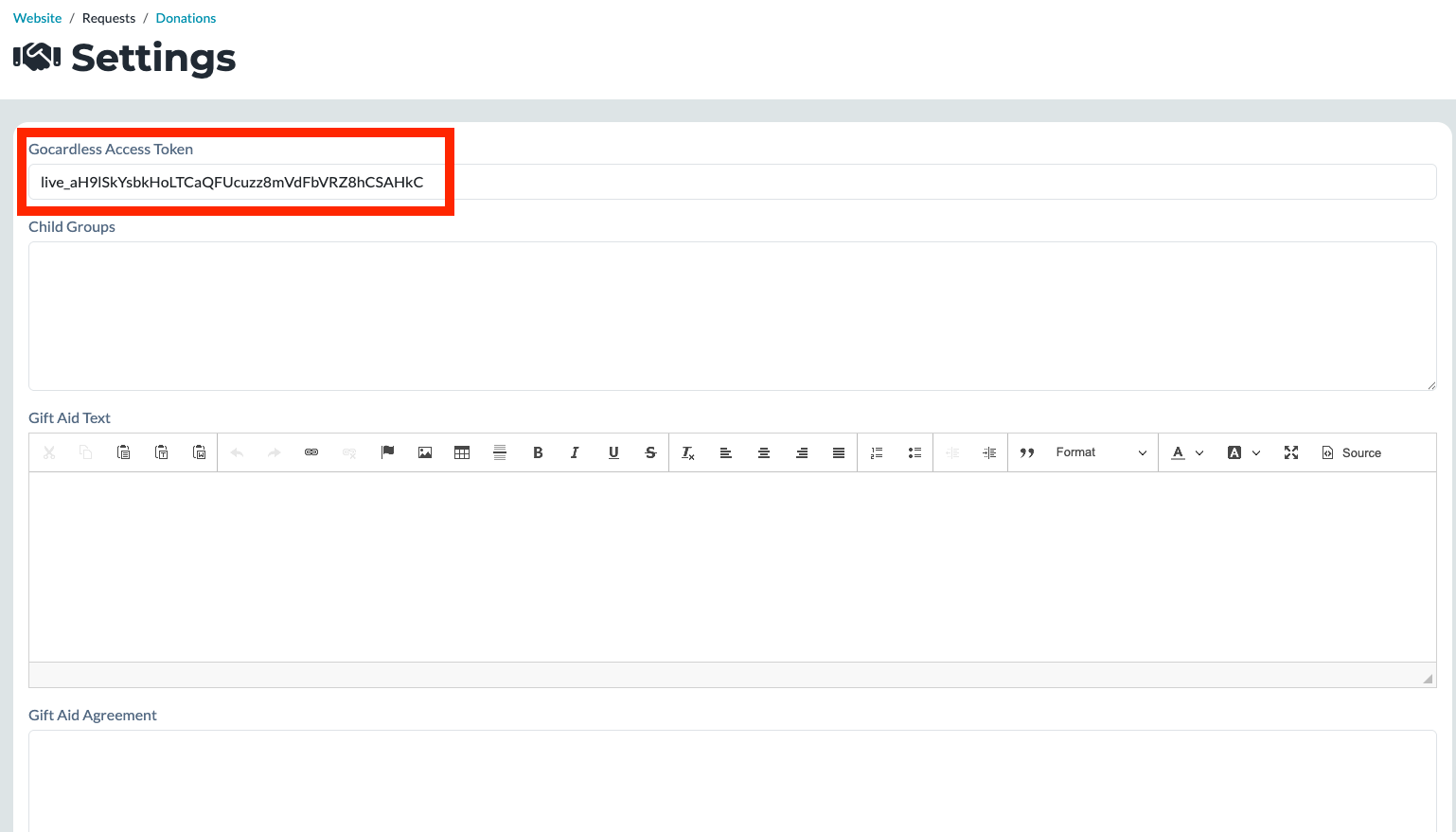
Carefully paste your GoCardless Access Token into this box, ensuring there are no extra spaces before or after the token, as this may prevent the connection from working correctly. Once the token has been added, save your changes to apply the update.
After the donation settings have been configured, the final step is to make the donations page visible on your website. To do this, create or edit a menu item and link it to the URL /donations. Once this menu item has been saved, the donations page will automatically display on your website, allowing visitors to access and submit donations.